For BYD DiLink · beta

Your BYD,
live.

Open the app and see your car: live cameras, battery, where it's parked — and Sentry Mode keeping watch while you're away.

Everything you need,
right on your phone.

Live data

Battery, range, efficiency, temperature, speed and a lot more.

24/7 Sentry

Smart monitoring of your BYD, even from far away.

Live cameras

Pull up the car's cameras from anywhere.

Precise location

See where your car is at any time.

Smart charging

Track charging as it happens.

Automations · what sets it apart

Not just watching.
The car acts on its own.

You set what should happen, and when, right in the app. The rule then runs on the car's head unit and keeps working even with the app closed.

When

you shift into reverse

Then

the side camera takes over the screen

When

you flick the turn signal

Then

the camera on that side comes up on the screen

When

you start the car

Then

navigation opens on its own

When

your phone connects over Bluetooth

Then

your chosen sound plays

When

the car enters a saved zone

Then

Sentry goes quiet inside the zone

When

the charge hits the level you set

Then

the app sends you a notification

Built for people who
expect more.

Privacy and security

Your data is encrypted, and you stay in control.

Smart alerts

Get notifications for motion, low battery and more.

Full history

Track your trips, efficiency and performance with detailed charts.

Designed around your routine.
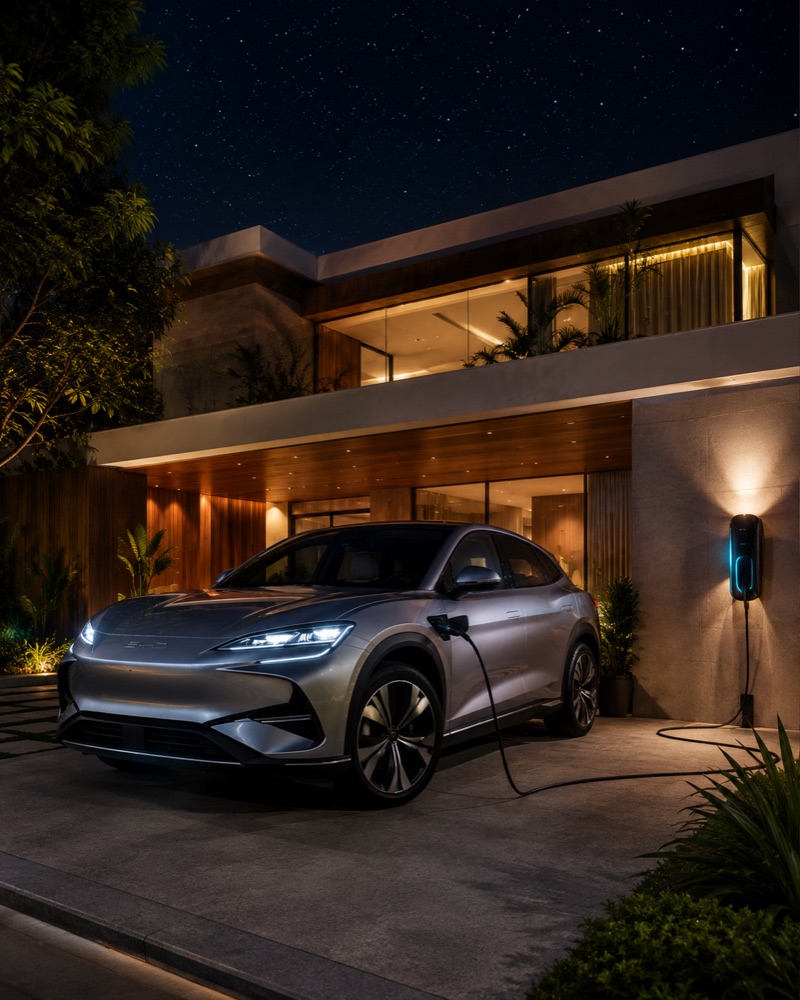
Electric BYD charging in a home garage at night

At home

Keep an eye on charging and get an alert if anything looks off.

Electric BYD parked in front of an office building

At work

Check range, location and your car's status at any time.

Electric BYD on a mountain road at sunset

On the road

Track efficiency, routes and performance as you drive.
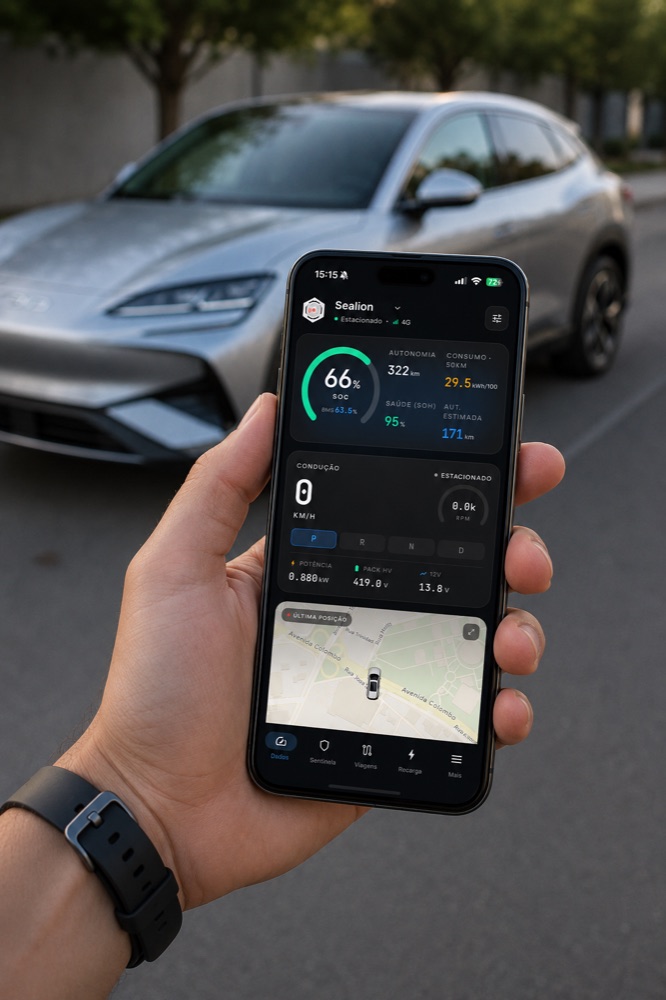
Person using the sentry·ev app on a phone with the BYD in the background

Anywhere

Everything about your BYD right on your phone, whenever you need it.

Installation

Install it on your BYD in a few minutes.

You don't have to take the car to a shop or change anything in its factory setup. Follow the steps below — and if you need help, our team will walk you through the whole thing.

1
Download the sentry·ev app
latest version · ~14 MB
SentryEV.apk
latest version · ~14 MB · safe file
Download APK
Download it on your computer or right on your phone — in the next step you'll copy this file to a USB drive.
2
Prepare the USB drive
exact folder name · ~1 min
1
Em um pen drive (de preferência formatado em FAT32), crie ou localize uma pasta com este nome exact:
third party apps 55
2
Put SentryEV.apk inside that folder — along with any other APK you also want to install.
Important: the folder has to be named exactly third party apps 55 — lowercase, with the number. If it has any other name, rename it, or the car won't find the apps.
3
Plug the drive into the car
USB port · ~10 s
1
Plug the drive into the BYD USB port — the same one you use for CarPlay/Android Auto.
4
Restore the system from the head unit
on the car's screen · ~2 min
Only for cars that are still locked down. If your BYD already installs apps from outside, skip this step — restoring the system would wipe your settings for nothing.
1
On the car's screen, open Configurações (Settings).
2
Go into Versões (Version) and find the Restaurar sistema (Restore system) option.
3
Tap Restaurar sistema and wait for the process to finish.
Warning: this process restores the head unit's system and you will lose all your information and settings. It is the step that lets the car read the apps on the drive — only go ahead if you accept that.
5
Enter the password and install
password + selection · ~1 min
1
Ao final do processo, o carro vai pedir uma password. Digite:
BYD6125F
2
The head unit shows the list of APKs it found on the drive. Select the ones you want to install.
3
Install SentryEV.apk first, then any other apps you want.
4
Done! Open sentry·ev, log in and pair it with your phone.
Advanced · Enable ADB

Enable ADB on your BYD.

This is not the same as installing the app: ADB is Android's debugging mode, used for advanced tools and for connecting the car to a computer. If you just want to use sentry·ev, the install steps above are all you need.

1
Open the engineering menu and generate the code
Telefone app · once per car · ~2 min
1
Pair your phone with the BYD over Bluetooth. The car's Telefone (Phone) app only shows up once a phone is paired.
2
Abra o app Telefone no head-unit e disque:
*#91532547#*
The engineering window opens with the car's IMEI and a text field. Leave this window open.
3
Digite os last 6 digits do IMEI que apareceu na tela pra gerar a senha:
Type the last 6 digits of the IMEI (numbers only).
PASSWORD FOR THIS HOUR · type it in the car's field
——————
IF THE CAR REJECTS IT, TRY THESE
The password changes every hour (China time) — generate it right when you are about to use it. Generated at .
4
Type one of the codes into the car's field and confirm to enter the engineering menu.
Heads up: on some BYDs with newer software this step may not work right away. If the code is not accepted, message us.
2
Turn on the debugging switches
TestTools menu · ~30 s
1
In the engineering menu, open TestTools and scroll down to the debugging options.
2
Turn on both switches: Depuração quando conectado por USB (USB debugging) and Depuração ADB sem fio (wireless ADB debugging).
Official Support

Stuck on a step? Message us on Telegram.

It's our official support channel. Installing the APK, pairing your car, enabling ADB — ask there and we answer.

Entrar no canal
t.me/sentryev
Privacy first

Your footage is yours alone.

Live video and audio run over a direct, peer-to-peer connection (WebRTC) between your phone and your BYD. The streams never touch sentry·ev's servers — so only you can see and hear them.

Connect to the future.
Start now.

sentry·ev is in beta. Install it on your BYD and find a new way to look after your car.